
Download AppLock Theme Chalk Doodle APK – AppLock Theme Chalk Doodle, Android, Free, Secure, Creative, Customization, Multimedia
Overview
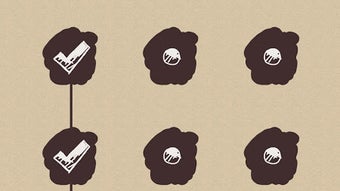
AppLock Theme Chalk Doodle is a free multimedia application designed specifically for Android devices. Developed by AppLock, it falls under the Graphic & Design subcategory and serves as a visual enhancement for the AppLock security platform. The primary purpose of this application is to provide users with a creative and artistic way to personalize their device’s lock screen while maintaining app-level security. By integrating a chalk doodle aesthetic, the theme transforms the standard lock interface into a visually engaging experience, blending functionality with artistic expression.
Target users include individuals seeking both aesthetic customization and enhanced security for their mobile applications. The theme is particularly suitable for users who value personal expression in their digital environment and want a fun, non-traditional approach to securing their private apps. It is designed to work in conjunction with AppLock version 2.16 or higher, ensuring compatibility with a stable and widely used security framework. Real-world usage scenarios include personalizing a smartphone’s lock screen during leisure time, enhancing visual appeal for social media content, or simply adding a playful touch to daily device interaction.
Key Features & Capabilities
- Chalk Doodle Aesthetic – Offers a hand-drawn, sketch-like visual style that mimics real chalk art on a blackboard, giving the lock screen a unique and artistic appearance.
- Theme Customization – Allows users to select from multiple chalk doodle designs, enabling personalization based on mood, preference, or occasion.
- Integration with AppLock – Functions exclusively within the AppLock ecosystem, enhancing the security interface without altering core functionality.
- Free Access – All features are available at no cost, with no in-app purchases or hidden fees.
- Simple Installation – Can be downloaded and installed via the Google Play Store with minimal user effort, requiring no technical expertise.
These features support a seamless blend of creativity and security. For example, users can apply a chalk-themed lock screen during a creative project or when sharing their device with others, maintaining privacy while adding visual interest. The theme does not alter the underlying security mechanisms of AppLock but enhances the user experience through visual design, making the process of unlocking protected apps more enjoyable.
User Interface, Workflow & Performance
The user interface of AppLock Theme Chalk Doodle is designed to align with the overall aesthetic of the AppLock application. It features a clean, intuitive layout that allows users to browse available chalk doodle themes with minimal navigation. The workflow is straightforward: after installing the APK, users can access the theme selector within the AppLock settings, choose a design, and apply it instantly.
Navigation is consistent with standard Android app patterns, relying on touch-based interaction and visual feedback. The application does not introduce complex menus or multi-step processes, which contributes to ease of use. However, exact performance details were not specified by the developer. General software behavior patterns suggest smooth operation under normal usage conditions, but specific CPU or RAM usage metrics are unavailable. Stability is expected to be maintained due to its integration with the established AppLock platform, though no independent testing data was provided.
Compatibility & System Requirements
AppLock Theme Chalk Doodle is compatible with Android devices that support AppLock version 2.16 or higher. The application is distributed as an APK file and can be installed through the Google Play Store. Installation size is not specified, but it is expected to be lightweight given its nature as a visual theme rather than a standalone application.
Exact system requirements were not listed by the developer. Compatibility information is limited to the AppLock version dependency. No specific hardware requirements, such as processor speed or RAM capacity, were provided. Users are advised to ensure their device meets the minimum requirements of the base AppLock application before installing this theme.
Pros and Cons
Pros
- Free to download and use with no hidden costs
- Unique chalk doodle visual style enhances lock screen appeal
- Easy integration with the AppLock security platform
- Simple and intuitive theme selection process
- Supports personalization without compromising security
Cons
- Requires AppLock version 2.16 or higher, limiting use on older devices
- No official information on performance impact or resource usage
- Available only as an APK, which may raise concerns for users preferring official app store distribution
- Customization options may be limited compared to full design tools
- Does not function independently—requires the AppLock app to operate
FAQ Section
Is AppLock Theme Chalk Doodle compatible with all Android devices?
The theme requires AppLock version 2.16 or higher, so compatibility depends on the user’s device meeting the AppLock requirements. Not all Android devices may support this version.
Is the AppLock Theme Chalk Doodle safe to download?
It is available through the Google Play Store, which provides a secure distribution channel. However, users should ensure they are downloading from official sources to avoid potential risks.
Does the theme affect the performance of AppLock?
Exact performance details were not specified. The developer did not provide information on CPU or RAM usage, so any impact remains unverified.
Can I use this theme without a paid AppLock subscription?
Yes, the theme is free and does not require a paid AppLock plan. It is accessible to all users who meet the AppLock version requirement.
Is the theme available offline?
Once installed, the theme functions offline. However, initial setup and updates may require an internet connection.
Final Thoughts + CTA
AppLock Theme Chalk Doodle offers a refreshing blend of creativity and security for Android users who want to personalize their device’s lock screen. Its chalk doodle design stands out in a sea of generic themes, providing a playful and artistic touch without sacrificing functionality. While it relies on the AppLock ecosystem and lacks detailed technical specifications, its ease of use and free access make it a compelling choice for casual users and design enthusiasts alike.
For individuals seeking a visually engaging way to secure their apps while expressing personal style, this theme delivers a satisfying experience. It is especially beneficial for users who value both aesthetics and privacy in their mobile workflow. The integration with an established security platform adds credibility, and the lack of cost ensures broad accessibility.
Download AppLock Theme Chalk Doodle now




.png)


